
Build Real-Time Applications with Advanced MediaPipe Solutions
Oodles engineers production-ready MediaPipe solutions using Python, C++, and JavaScript to deliver real-time, cross-platform perception systems. Leveraging Google’s open-source MediaPipe framework, we design low-latency pipelines for face, hand, pose, object, and audio understanding—optimized for web, mobile, and edge devices.
What is MediaPipe?
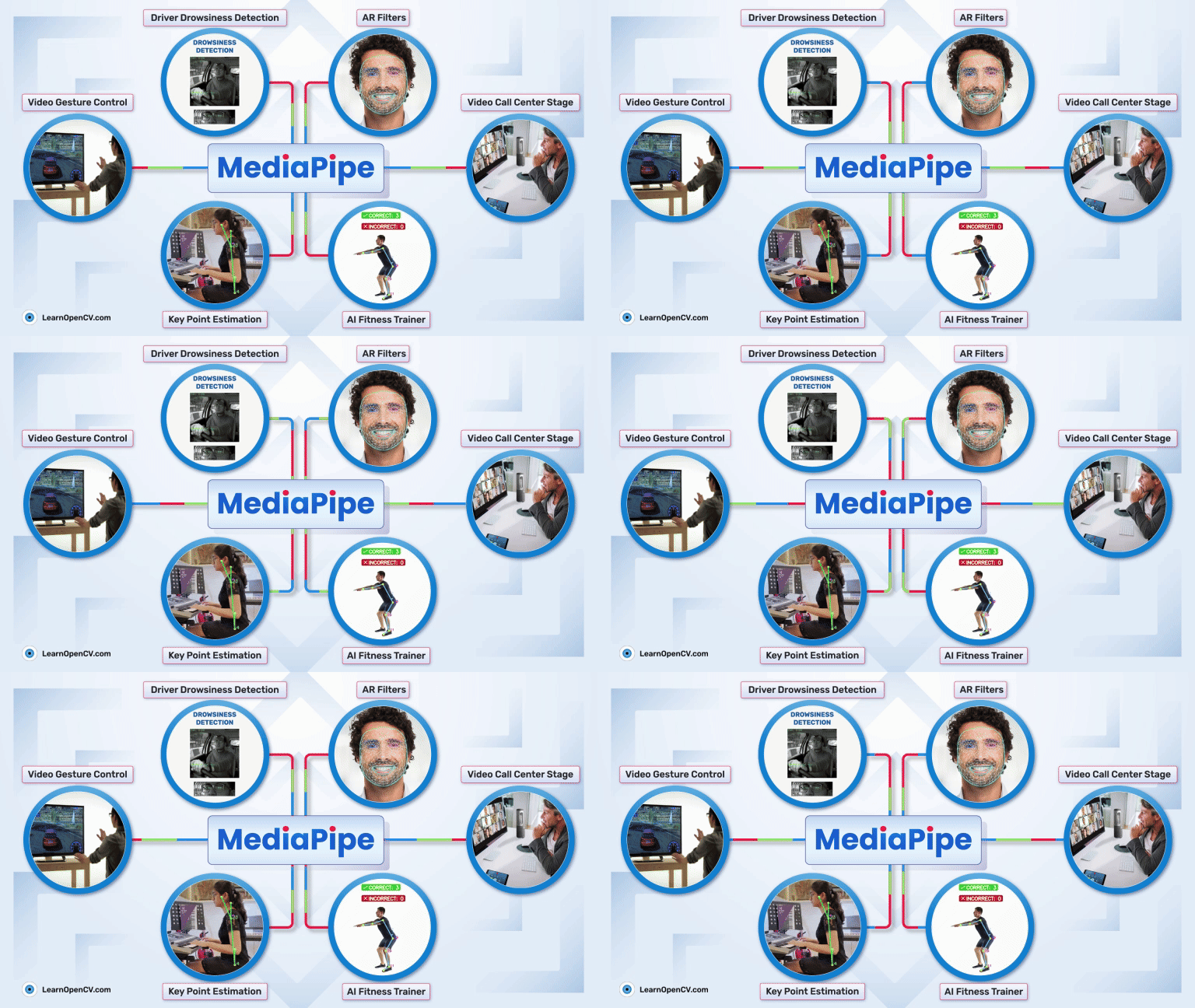
MediaPipe is Google’s open-source framework for building real-time, cross-platform machine learning pipelines. It provides graph-based APIs, pre-trained models, and on-device runtimes for tasks such as face landmark detection, hand tracking, pose estimation, object detection, and audio classification—implemented primarily in Python and C++ with deployment support for Android, iOS, Web, and edge environments.
MediaPipe Solution Modules
Oodles packages MediaPipe Tasks, Model Maker pipelines, and custom MediaPipe graphs into deployable accelerators tailored for industry-grade applications.
Multimodal Perception Apps
Real-time perception systems combining MediaPipe face, hand, pose, and audio tasks using Python and C++ graph pipelines.
AR Mirrors & Virtual Try-Ons
MediaPipe Face Landmarker, segmentation graphs, and WebGL rendering for low-latency augmented reality experiences.
Voice & Gesture Assistants
Touchless assistants using MediaPipe audio classification and hand gesture recognition deployed on-device.
Healthcare & Wellness Monitoring
Privacy-preserving pose tracking and movement analysis built with MediaPipe Python APIs for on-device health monitoring.
Retail & Smart Kiosk Vision
MediaPipe-powered face and hand tracking to personalize kiosk interactions and measure customer engagement in real time.
Edge AI for IoT Fleets
Deploy MediaPipe graphs on ARM, Android, and Linux edge hardware with optimized TensorFlow Lite inference.
Why Choose Oodles for MediaPipe Development?
MediaPipe Tasks Integration
Integration of MediaPipe Tasks across Android, Web, Python, and iOS using unified APIs and TensorFlow Lite acceleration.
Model Maker Customization
Fine-tune MediaPipe pre-trained models using Model Maker and Python-based training workflows.
Multimodal Graph Pipelines
Custom MediaPipe graphs combining vision, audio, and gesture inputs for real-time perception systems.
Edge Performance Optimization
Latency benchmarking and optimization using MediaPipe Studio and Google AI Edge tooling.
How MediaPipe Development Works
Build portable, real-time ML solutions through Google's streamlined framework.
1
Assess: Identify MediaPipe Tasks such as face, hand, pose, or audio classification based on real-time perception requirements.
2
Design: Architect pipelines using MediaPipe Tasks, graphs, and multimodal fusion for cross-platform compatibility.
3
Develop: Implement MediaPipe graphs and APIs, fine-tuning models with Model Maker for vision or audio tasks.
4
Test: Validate using MediaPipe Studio for real-time evaluation and accuracy on diverse platforms.
5
Deploy & Optimize: Ship MediaPipe solutions to mobile, web, and edge devices with performance benchmarking via Google AI Edge Portal.
Key Features & Capabilities
Cross-Platform APIs
MediaPipe Tasks for Android, Web, Python, and iOS deployment with unified interfaces.
Pre-Trained Models
Ready-to-run models for vision (e.g., object detection), text, and audio classification tasks.
Model Customization
MediaPipe Model Maker for fine-tuning with user data to enhance accuracy in specific domains.
Real-Time Multimodal Pipelines
Optimized graphs for fusing vision, text, and audio in real-time perception applications.
MediaPipe Studio
Browser-based tool for visualizing, evaluating, and benchmarking ML solutions in real-time.
2025 Edge AI Enhancements
Integration with Google AI Edge Portal for scalable benchmarking and upgraded legacy solutions like Hand Landmarker.
MediaPipe in Action
Experience Google's real-time ML capabilities with our advanced MediaPipe implementations
Solutions & Use Cases
Google's MediaPipe powers cross-platform AI solutions, from vision tasks to audio classification, enabling real-time deployment and customization for 2025's Edge AI demands.
Augmented Reality
Face Landmarker and Hand Landmarker for immersive AR experiences and virtual interactions.
Fitness & Health
Pose Landmarker for real-time body tracking in workout apps and telemedicine vital monitoring.
Gesture Interfaces
Hand gesture recognition for gaming controls, accessibility tools, and smart device interactions.
Object Detection
Real-time object detection and tracking using MediaPipe vision tasks for retail, security, and edge AI systems.
Customer Experience Analytics
Analyze engagement using MediaPipe face, pose, and hand landmarks to understand user interactions at kiosks and touchpoints.
Edge AI & IoT Maintenance
MediaPipe-based monitoring of operator gestures and equipment states with on-device inference for IoT environments.
MediaPipe Acceleration Toolkit
Decrease time-to-value with pre-built graph templates, evaluation harnesses, and DevSecOps plumbing.
Tooling & Graph Factory
- Reusable graphs for Face, Hand, Pose, Object, and Audio Tasks.
- Model Maker fine-tuning pipelines with Vertex AI / Colab integration.
- MediaPipe Studio workspaces to visualize latency, FPS, and accuracy.
Operations & Compliance
- CI/CD blueprints for Android, iOS, WebAssembly, and Linux edge targets.
- Privacy-by-design review templates plus PII redaction layers.
- Monitoring hooks into Cloud Logging, Datadog, and custom telemetry buses.
Supported Stack & Platforms
Battle-tested tooling for MediaPipe builds across cloud and edge environments.
FAQs (Frequently Asked Questions)
Yes. MediaPipe's hand tracking runs at 30+ FPS on mid-range Android and iOS devices using TensorFlow Lite. The models are optimized for on-device inference with minimal latency, making them suitable for interactive gesture-based apps and AR experiences.
MediaPipe provides pre-trained, production-ready models for hand, face, and pose—saving months of training and optimization. It handles graph pipelining, cross-platform export, and real-time performance out of the box. Custom TensorFlow is better when you need domain-specific models MediaPipe doesn't cover.
MediaPipe uses a graph-based architecture where you chain multiple tasks (e.g., face detection → face mesh, or full body detection → pose landmarks). Each task can run on the same or different frames. We design custom graphs to optimize for your use case—e.g., fitness apps often combine pose + hand for form correction.
MediaPipe runs on ARM Cortex-A, Raspberry Pi 4, Jetson Nano, and similar edge devices. For real-time video, we recommend at least 2GB RAM and a GPU or NPU for acceleration. We optimize model size and quantization (e.g., INT8) to fit resource-constrained hardware.
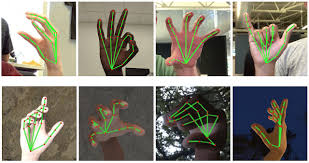
Yes. MediaPipe's hand tracking outputs 21 landmarks per hand, which we feed into a custom classifier (e.g., TensorFlow Lite) to recognize sign language or gestures. We've built sign language translators, gesture-controlled kiosks, and touchless interfaces using this approach.
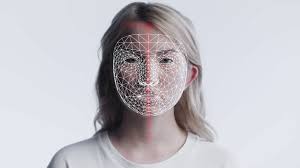
Face detection only returns bounding boxes. Face mesh outputs 468 3D landmarks for eyes, lips, nose, and contours—enabling AR filters, virtual try-on, emotion analysis, and gaze tracking. We use MediaPipe Face Mesh for avatars, virtual makeup, and accessibility applications.
MediaPipe models are trained on diverse datasets and handle moderate lighting well. For low-light or noisy environments, we add image preprocessing (e.g., denoising, contrast enhancement) or use custom models fine-tuned on your data. We also recommend minimum camera specs (e.g., 720p, 30 FPS) for reliable results.
Ready to Deploy a MediaPipe Solution? Let's Talk






We are ISO 9001:2015 Certified
Connect with us


Follow us