Speech to Text: Enhancing User Experience in Your App
Speech-to-Text (STT) is no longer a futuristic feature—it is a practical UX accelerator. Users increasingly expect apps to understand them the same way humans do: quickly, naturally, and hands-free. When implemented correctly, speech-to-text can significantly reduce friction, improve accessibility, and increase engagement across mobile and web applications.
This article explains what speech-to-text is, why it matters for user experience, and how businesses can leverage it effectively inside their apps.
What Is Speech to Text?
Speech-to-text is a technology that converts spoken language into written text using automatic speech recognition (ASR). Modern STT systems rely on deep learning models trained on massive datasets of human speech to understand accents, context, and intent with high accuracy.
In practical terms, STT allows users to speak instead of typing—whether that is dictating a message, searching for content, filling out a form, or interacting with a virtual assistant.
Why Speech to Text Improves User Experience
1. Faster Input, Less Friction
Typing on small screens is slow and error-prone. Speech input can be up to three times faster than typing, especially for long-form input like notes, messages, or support queries.
2. Accessibility by Design
Speech-to-text makes apps usable for people with motor impairments, visual challenges, or temporary limitations. Accessibility is not just a compliance checkbox—it expands your user base and improves inclusivity.
3. Hands-Free Convenience
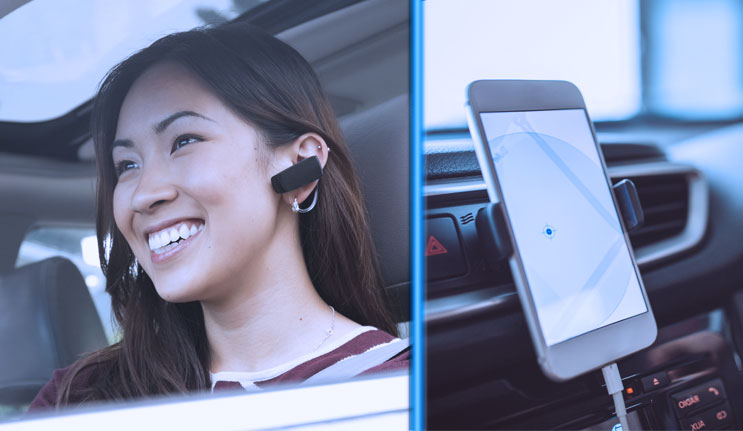
In scenarios like driving, cooking, exercising, or multitasking at work, voice input becomes the most natural interaction method. Apps that support STT fit seamlessly into real-world usage.
4. More Natural Human Interaction
Voice feels conversational. When users speak instead of type, interactions feel less mechanical and more intuitive—especially when paired with conversational UI patterns.
Common Use Cases of Speech to Text in Apps

- Voice Search: Faster and more accurate search queries
- Messaging & Chat Apps: Dictation instead of typing
- Customer Support: Voice-based issue descriptions
- Note-Taking Apps: Instant transcription of ideas and meetings
- Form Filling: Reduced abandonment for long forms
- Healthcare & Field Apps: Hands-free data entry in critical environments
Key UX Considerations When Implementing STT
Speech-to-text can hurt UX if implemented poorly. These principles separate successful implementations from frustrating ones:
Accuracy First
Low accuracy destroys trust instantly. Invest in high-quality STT models and continuously improve them using real-world usage data.
Clear Feedback
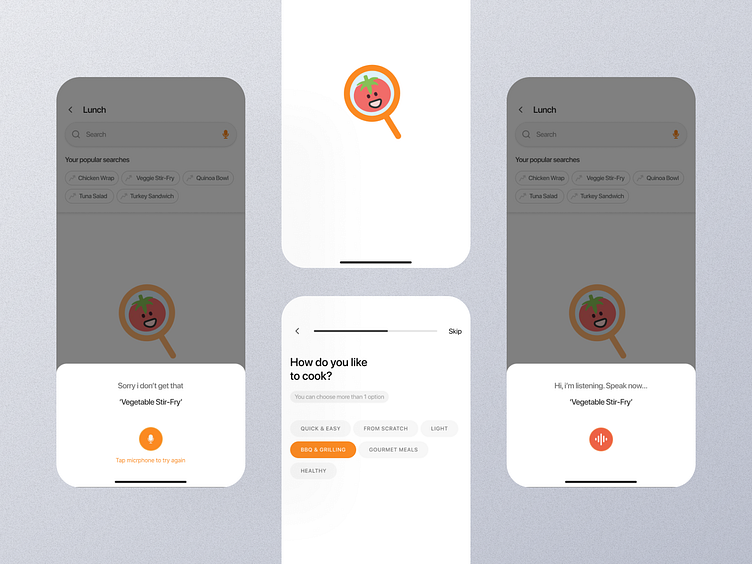
Users must know when the app is listening, processing, or finished. Visual indicators (waveforms, mic icons, transcripts) are non-negotiable.
Error Handling
Allow users to easily edit transcriptions. No STT system is perfect—what matters is graceful recovery.
Context Awareness
The same spoken phrase can mean different things depending on context. Smart apps adapt transcription based on user intent, screen state, and history.
Privacy & Security
Voice data is sensitive. Be explicit about data usage, encryption, and storage policies to maintain user trust.
Business Impact of Speech to Text


From a business perspective, STT is not just a UX enhancement—it is a growth lever.
- Higher user engagement and retention
- Faster task completion and improved productivity
- Reduced support friction and operational costs
- Competitive differentiation in crowded app markets
Apps that adopt voice early often set new interaction standards within their category.
The Future of Speech to Text in Apps
Speech-to-text is rapidly evolving beyond simple transcription. The next wave includes:
- Real-time multilingual transcription
- Emotion and sentiment-aware voice input
- Contextual commands instead of raw dictation
- Seamless integration with conversational AI systems
Voice will not replace touch or typing—but it will become a core interaction layer in modern applications.
Final Thoughts
Speech-to-text is no longer optional for apps that care about user experience. It removes friction, improves accessibility, and aligns digital products with how people naturally communicate.
The question is no longer whether to add speech-to-text—but how well you implement it.
If your app still relies solely on keyboards and taps, you are leaving usability—and users—on the table.